AI Prompts for Video Captions: Make Timed Text, Not Just a Summary
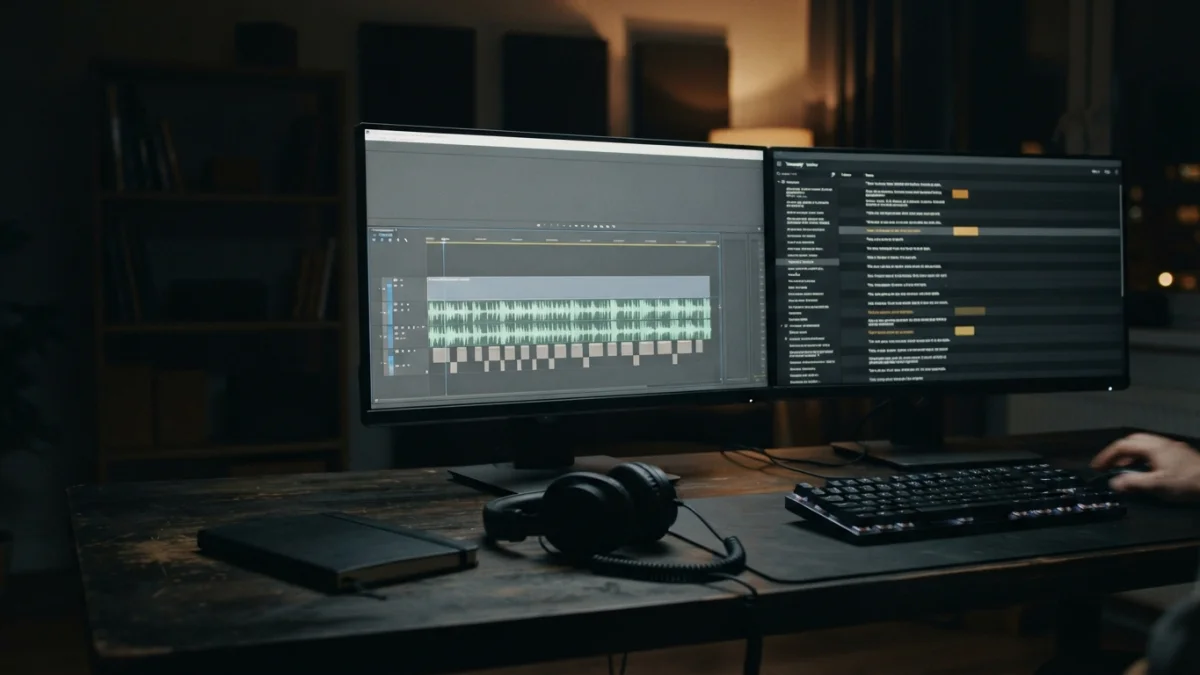
Image generated with AI.
AI prompts for video captions should produce timed text, not a polished summary. Learn how to structure a transcript, mark uncertain words, validate cue timing, and review before upload.
Most AI prompts for video captions fail for one reason: the model is asked for a tidy summary when the job needs timed text. A summary can read beautifully and still be unusable as a subtitle file, with no cue start, no cue end, and no obligation to reproduce what the speaker said. The fix is not a longer prompt. It is a workflow that separates three different outputs and then checks the one you plan to upload.
Why a transcript is not a caption file
Three artifacts get confused constantly, and the confusion is what produces captions nobody can use.
A transcript is the record of what was said, usually with rough timestamps. A caption or subtitle track is what appears on screen, when it appears, and what a viewer needs in order to follow the video. Show notes, chapters and summaries describe what the content is about for someone who has not watched it yet. They are related, but only one of them is time-aligned text.
The difference matters because a caption file is a structured format, not prose. As the W3C WebVTT specification describes it, a cue is text plus timing information, built for text tracks that stay aligned to audio and video. A paragraph of clean writing has no such alignment. It must be cut into cues with start and end times before a player can do anything with it.
Captions and subtitles also differ in what they carry. Subtitles translate dialogue. Captions serve viewers who cannot hear the audio, so they can include relevant non-speech information such as [music], [laughter], or a speaker label when it changes the meaning. A model that only receives a wall of dialogue cannot invent those details, and it should not pretend to.
Build the prompt around the source record
The strongest lever is not clever phrasing. It is the input contract: what the model receives, what it is allowed to change, and what it must flag instead of guessing.
Give the model the transcript and the delivery rules
Before any caption work, state the constraints in the prompt itself:
- Source language, and whether a second language track is expected.
- Speaker names, if they are known. If they are not, say so explicitly.
- Target format: SRT or WebVTT, plus line length and whether one or two lines per cue is acceptable.
- Whether sound cues are required.
- Whether the first output should be a single file or a review table the editor can approve.
Formats are not interchangeable, and the destination decides which one is accepted. YouTube's help page on supported subtitle and closed caption files lists SubRip (.srt) and SubViewer (.sbv) as beginner-friendly options that require only basic timing information and can be edited as plain UTF-8 text. SubRip separates milliseconds with a comma; WebVTT uses a period and expects its own header. A file that looks right but uses the wrong punctuation fails at upload, so name the format instead of asking for "subtitles".
Make uncertainty an explicit output
This is the instruction most people leave out. Tell the model that when the transcript is unclear it must mark the gap, for example [UNCLEAR 00:12:04], rather than filling it from context. For names, product terms, numbers and quotations, ask for a queue instead of a decision: timestamp, suspected wording, and confidence.
Why be this strict? Because the model has no way to hear the video. YouTube's documentation on automatic captioning states plainly that machine-generated captions can misrepresent spoken content due to mispronunciations, accents, dialects or background noise, and that creators should always review and edit them. If the platform's own speech recognition needs a review pass, a language model working from a transcript needs one even more. A plausible guess is worse than a visible flag, because the guess ships silently.
Ask for timed cues, not a rewritten script
Once the contract is set, ask for segmentation rather than polish. Cues should be chronological and non-overlapping unless the chosen format explicitly allows otherwise, and they should split on natural speech units, not on arbitrary sentence boundaries that happen to look tidy in a text editor.
Two rules do most of the work here:
- Do not improve grammar by changing what the speaker said. If the speaker trails off mid-sentence, the caption trails off too.
- Do not compress or delete speech to make the text fit. If the timing is tight, flag it, do not summarize it.
The practical way to get both is a two-pass workflow. First produce a cue table: index, start, end, text, notes. Review timing and wording in that table, where errors are obvious and cheap to fix. Only then ask the model to render the final SRT or WebVTT from the approved table. That keeps file generation mechanical, which is exactly what it should be.
A small pseudo-example is enough to anchor the shape without pretending to be a real transcript:
cue 014 | 00:12:04.100 -> 00:12:07.400 | "and then we moved the whole setup" | flag: speaker change?
cue 015 | 00:12:07.400 -> 00:12:09.000 | [UNCLEAR 00:12:08] | verify on audio
AI Prompts for Video Captions Need a Validation Pass
Treat the generated file as a draft artifact that has not yet earned a place in your upload folder. Validation has two layers, and they use different senses.
Check the mechanics
Open the file as text before it ever reaches a player. Confirm the header matches the format, the timestamps use the right syntax, every start falls before its end, the order is chronological, and there are no accidental blank cues. Then look at duration: a cue that flashes for a fraction of a second cannot be read, and a cue that lingers for a very long time usually means a merge went wrong.
Reading speed matters, but not as a universal number. A dense technical talk and a fast-paced vlog carry different loads, and audience, language and line length move the threshold. Set your own bar against the actual video.
Check the meaning against the audio
This is the step no model can perform for you. Play the video with the draft captions loaded and listen for what carries meaning: names, figures, negations, technical terms, speaker changes, and any sound the viewer needs to know about. A dropped "not" or a wrong number is not a typo, it is a different statement. Each item in the model's uncertainty queue is a small decision, and the audio is the only authority that can settle it.
Use one prompt for the file and another for the review
A reusable architecture beats a long prompt you paste once and lose. Four blocks, in this order:
- Input block: the timestamped transcript plus a short project brief.
- Rules block: preserve wording, show uncertainty, use the requested format.
- Output block: cue table first, file second.
- QA block: list every suspected error and every assumption made.
The QA block turns the model into a reviewer instead of an author. Ask it what it could not verify, what it normalized, and which cues it is least confident about. A model that names its own weak spots is far more useful than one that returns a confident wall of text.
If your pipeline is broader than captions, the catalog has adjacent workflows that pair well with this one. Podcast Show Notes & Clips takes a transcript and produces timestamped notes, clips and related assets, a repurposing job that sits next to captioning but does not replace it. YouTube Script Factory covers the earlier stage, writing a script before recording, which is why a recorded transcript should never be rewritten as if it were a draft. And when the video is ready, YouTube Title & Thumbnail Copy Lab handles the promotional metadata. A title and a thumbnail are packaging, not timed text.
The final upload is a human decision
Close the loop with a short sequence you run every time: listen through the video, clear the uncertain queue item by item, load the actual file in the player you will publish on, and only then upload.
Captions help people when the words and the timing are trustworthy. YouTube's page on adding subtitles and captions frames the benefit narrowly, as reaching a larger audience including deaf or hard-of-hearing viewers and viewers who speak another language. Reach is the outcome of captions that match the recording, not of captions that exist.
That is the honest division of labor. AI can turn a transcript into a timed draft, mark what it could not resolve, and render a valid file once you approve the cue table. It cannot certify that the file matches the recording, because it never heard the recording. Prompts get you a fast, well-structured draft. The person who presses publish makes it correct.
LikePrompts Editorial
Practical guides for getting the most out of AI prompts — written by the LikePrompts team.