DALL-E 3 Prompt Anatomy: Subject, Style, Lighting and Composition
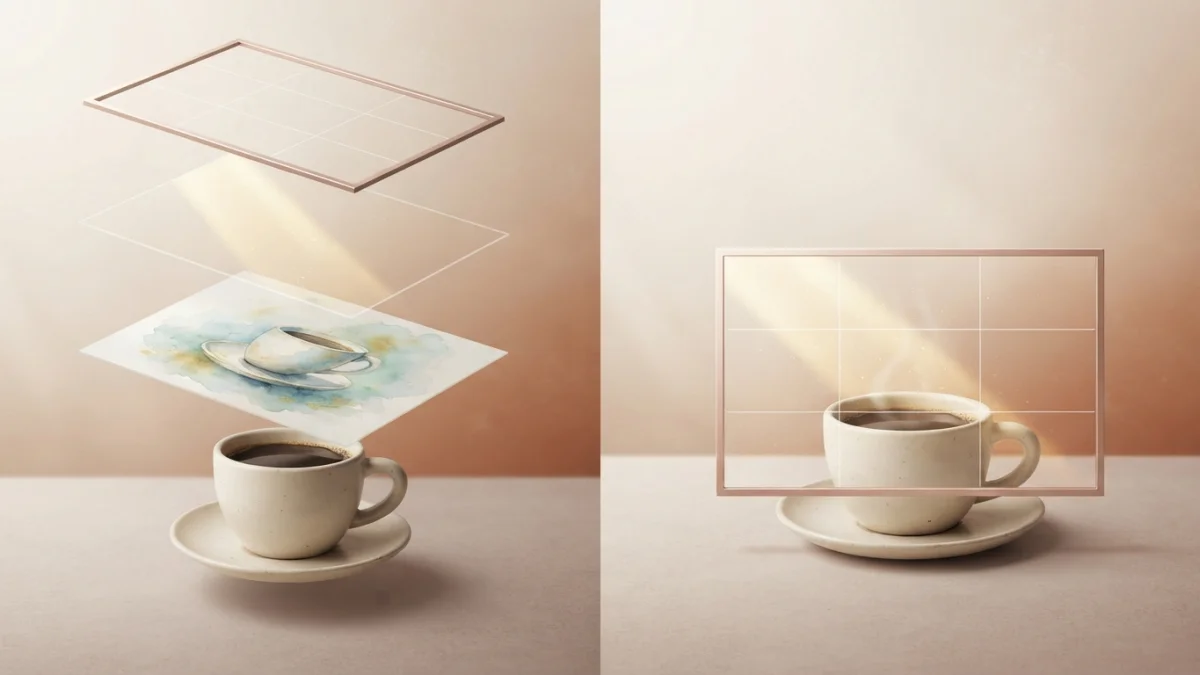
Image generated with AI.
No --ar, no --no. DALL-E 3 turns plain sentences into images. Learn the anatomy of a DALL-E prompt - subject, style, lighting, composition - with a template you can reuse today.
Writing a DALL-E 3 prompt is closer to describing a scene to a careful illustrator than to filling a settings panel. There are no --ar flags, no --no exclusions and no version tags. You describe what you want in plain sentences, and the model does the rest. The gap between a generic image and one you can actually use almost always comes down to four blocks: subject, style, lighting and composition. This guide takes a DALL-E 3 prompt apart piece by piece, then reassembles it into a reusable template with a worked example you can copy today.
Why DALL-E 3 Prompting Is Different
DALL-E 3, OpenAI's image model, is designed around natural language. It needs less prompt syntax than any other popular model: you speak clearly, and it translates your words into a detailed prompt internally. Midjourney rewards short artistic phrases plus flags, and FLUX wants a very literal spec. DALL-E 3 wants the opposite: longer, descriptive sentences that read like a note to a human art director.
ChatGPT Writes the First Draft for You
Inside ChatGPT, the workflow is conversational. You type your idea with your own words - "a ceramic coffee cup on a wooden table, morning light" - and ChatGPT expands it into a long, detailed prompt before DALL-E 3 draws anything, as OpenAI showed when it announced the model. If the result is close but not right, you keep chatting: "make the light warmer," "move the cup to the left." Each request rewrites the prompt and tries again.
No Negative Prompts, No Parameters
There is no --no list and no exclusion syntax in DALL-E 3. The model interprets what you do write, not what you leave out. Saying "no text, no watermark, no hands" only helps if the positive sentence already describes the scene you want. Describe what you want present - clean surfaces, empty wall, no hands in frame - and the model follows the positive description better than any list of prohibitions.
The Anatomy of a DALL-E 3 Prompt
Every strong DALL-E 3 prompt follows the same skeleton. You can write it as one sentence built from labeled blocks:
A {style} photo of {subject}, {action or detail}, lit by {lighting}, shot {composition}, {palette} palette, {mood}.
Subject: Who and What Is in the Frame
The subject is a concrete noun plus the attributes you can actually see: age, material, color, state, quantity. "A ripe avocado half on a white plate" beats "food." If the subject is vague, the image is vague. Add one action or detail so the scene feels alive: "with the pit removed," "steam rising," "one slice missing."
Style: Choose the Visual Language
Name the medium explicitly: photography, watercolor, 3D render, flat vector, editorial illustration. Then add a quality descriptor such as hyper-real, minimal or cinematic, plus the era if it matters, like 1970s travel poster. Describe visual qualities instead of betting on artist names - "soft gouache with visible paper grain" is more reliable than a style that may not be in the training data.
Lighting: Direction, Quality and Color
Lighting sets the mood more than any other block. Be specific about direction, quality and temperature: natural window light from the side, golden hour backlight, dramatic side light, studio softbox, overcast and diffused. "Lit by warm golden hour sun from behind" produces a completely different image than "lit by a bare fluorescent tube from above."
Composition: Camera Angle and Framing
DALL-E 3 understands camera language when you put it in prose. Eye level, low angle, overhead 45 degrees, close-up versus wide shot, subject centered or off to one side, negative space, shallow depth of field - all of it works. Leave composition out and the model defaults to a centered eye-level shot - fine for a draft, rarely what you want for a hero image.
Palette, Mood and the Text Guard
Finish with a palette of two to four colors and one mood adjective: "muted terracotta palette, calm." If text is not the point of the image, add the clause "no text" explicitly, because DALL-E 3 will happily invent letters, signs and labels that you did not ask for.
A Worked Example: Food Photography in Five Blocks
Here is the anatomy applied to a real use case, adapted from the Appetizing Food Photography prompt in our catalog. Subject: a rustic dish with fresh ingredients, steam rising. Style: professional food photography, editorial quality. Lighting: natural window light from the side. Composition: overhead 45-degree angle, shallow depth of field. Extras: wooden table, no hands, no text. Run those five blocks as one sentence and you get a usable food shot on the first or second pass, because every variable the model needs is already decided. The full catalog version packages the formula with tested wording so you can reuse it without rethinking the blocks.
When Text Belongs in the Image
DALL-E 3 renders short text far better than earlier image models, but long words still come out garbled. The reliable pattern is to decide whether text is the purpose of the image. If it is not, say "no text." If it is - a poster, an invitation, a menu - leave a placeholder instead of hoping for perfect spelling: "a clean area where the details go" keeps the layout usable, and you add the real typography later in any editor. Our Event Invitation Designs prompt follows exactly that approach: a portrait A5 invitation with a reserved typography area, ready to drop real text into before printing. Check the spelling before you accept any render that does include words - if it is wrong, ask for a change conversationally rather than accepting it.
Turn the Anatomy Into a Reusable Template
The same skeleton becomes a reusable template when you keep the structure and swap the fill-in values. Write it once with placeholders, then define hard constraints for your project: maximum two colors, no gradients, no photorealism, scalable to a 32-pixel favicon. Constraints belong inside the sentence, not after it, because DALL-E 3 reads prose top to bottom. The Logo Design System for ChatGPT in our catalog is the anatomy applied to branding: a formula plus rules like "wordmark placeholder" and "scalable down to 32px," so every logo in a series comes back consistent instead of drifting between generations.
DALL-E 3 Beyond ChatGPT: API Options in One Paragraph
Outside ChatGPT, the Images API exposes the same model with a few knobs. Native output sizes are 1024x1024, 1024x1792 and 1792x1024, a quality parameter trades speed and cost, and a style parameter - only available for dall-e-3 - tilts the result: vivid pushes hyper-real, dramatic images, while natural produces a less hyper-real look. The official OpenAI guidance on DALL-E 3 best practices and the Images API cookbook cover the details if you are building an app.
Common DALL-E 3 Prompt Mistakes to Avoid
Three mistakes explain most disappointing results. A vague subject - "a nice product shot" - gives the model nothing to commit to; name the object, the material and the surface. Missing lighting leaves the mood to chance; add one lighting clause and the image looks intentional. Unrequested text appears whenever you forget to forbid it; append "no text" unless the words are the point. Each fix is one short clause.
Start with the four blocks - subject, style, lighting, composition - and the rest of the sentence falls into place. When a block is missing, the model guesses, and guesses average out to generic. Spell out the scene like you would brief a human designer, keep the text guard on, and iterate in the chat instead of starting over. For ready-made versions of this anatomy, browse the food photography, invitation design and logo system prompts in the LikePrompts catalog - each one is the template already filled in, tested and ready to paste.
LikePrompts Editorial
Practical guides for getting the most out of AI prompts — written by the LikePrompts team.