Negative Prompts for Image Models: What to Exclude and Why
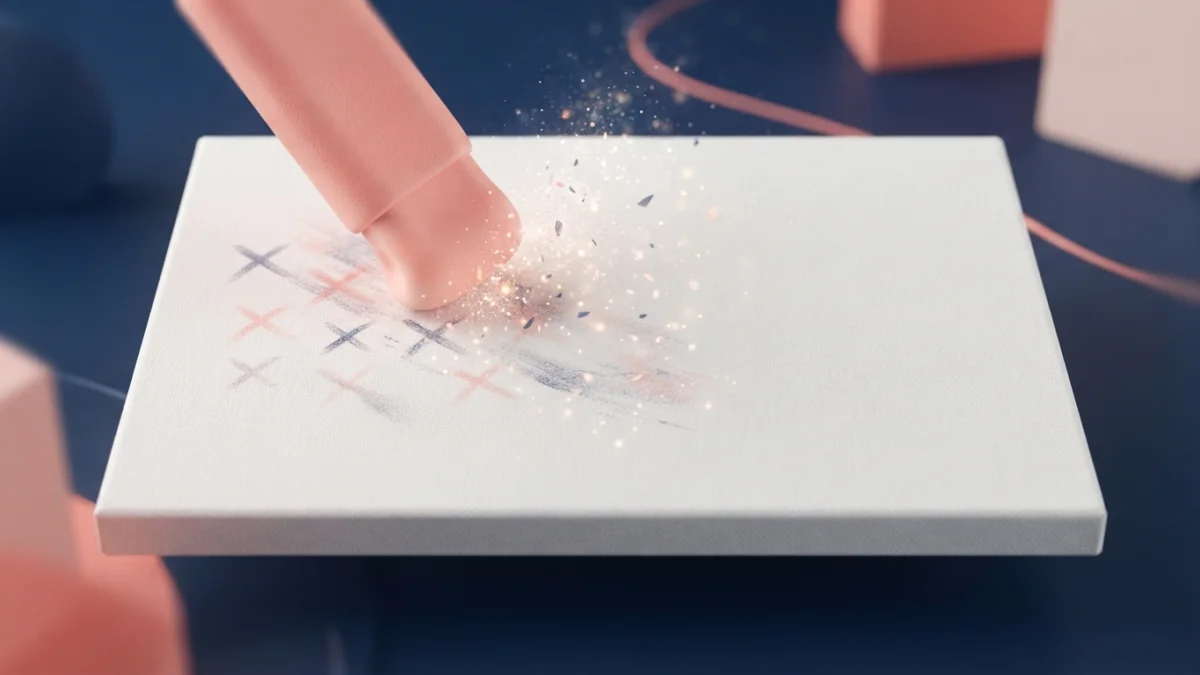
Image generated with AI.
Extra fingers, blurry text, watermarks. Learn how negative prompts work in Midjourney, Stable Diffusion, Flux and DALL-E 3 - and exactly what to exclude for clean images every time.
Negative prompts for image models are the hidden half of prompt control: the instruction that tells a generator what to leave out. Extra fingers, mangled text, watermarks - most artifacts that ruin an image appear because nothing told the model to avoid them.
This guide explains how negative prompting works, how Midjourney, Stable Diffusion, Flux and DALL-E 3 each handle exclusions, and the exact lists you can copy for cleaner results every time.
Why What You Exclude Matters as Much as What You Include
A prompt is a conversation with a probability engine. When you describe a scene, the model spreads its attention across every element you mention, but it also fills the gaps with whatever its training data associates with the scene. Those gaps are where artifacts come from: lettering appears on a poster even though you never asked for text, a hand ends up with six fingers because the model blended two plausible poses, a stock-photo watermark shows up because the training set was full of them.
The negative prompt closes those gaps. It is the other half of the same instruction: not "what to draw" but "what to never draw". Getting it right is usually faster than fighting a bad result with more positive keywords, because you are removing a known failure mode instead of hoping a stronger description drowns it out.
What a Negative Prompt Actually Does
Positive Prompt vs. Negative Prompt
The positive prompt defines the target: subject, style, lighting, composition. The negative prompt defines the forbidden set: artifacts, objects, styles and textures the model should steer away from. In practice the two work as a pair. A positive prompt says "portrait of a woman in soft window light", and the negative says "extra fingers, plastic skin, watermark, blurry". Neither alone gives you full control; together they define both what the image is and what it is not.
How the Model Steers Away
During diffusion, the model denoises an image step by step, nudging it toward the positive description and away from the negative one. Tools with a dedicated negative field use Classifier-Free Guidance (CFG) to make this push explicit: the guidance scale controls how strongly the model follows both instructions. A higher CFG scale makes the model avoid the listed terms more aggressively, but it also risks oversaturated, artificial-looking results, which is why most users keep it in a middle range.
Negative Prompts for Image Models by Tool
Midjourney: The --no Parameter
Midjourney exposes exclusions through the --no parameter. It goes at the end of the prompt, with no punctuation before it, and accepts several elements separated by commas: --no text, watermark, blur, extra fingers. Its most popular use is --no text, because Midjourney loves adding random lettering to almost anything.
One quirk matters: the moderation system reads each word in --no separately. A phrase like --no water trees is interpreted as "no water" and "no trees", not as the phrase "water trees". Keep each excluded element to a single word or a short comma-separated list so the model does not misread your intention. The official Midjourney documentation for the --no parameter has the full syntax.
Stable Diffusion and SDXL: The Dedicated Negative Field
Stable Diffusion interfaces - Automatic1111, ComfyUI, Forge - give you a dedicated negative prompt field next to the positive one. Whatever you type there is subtracted from the generation, and the CFG scale slider controls how hard the model avoids it. The most reused universal negatives are short and concrete: extra fingers, mangled text, plastic skin, blurry, watermark, low quality.
For repetitive quality fixes, Textual Inversion embeddings such as EasyNegative or bad-hands-5 condense whole sets of fixes into a single token. Adding one embedding to the negative field is often enough to clean up hands, faces and lighting at once, without typing a long list every time. A practical Stable Diffusion negative prompts guide shows how these lists are built and tuned.
Flux: Describe the Positive First
Flux is guidance-distilled, which means it responds weakly to negative prompts. The architecture was trained to work with a fixed guidance value, so the model simply does not hear "no" as clearly as Stable Diffusion does. The reliable approach in Flux is to describe what you want in positive terms: instead of "no cluttered background", write "clean minimal studio background with a single soft gradient".
There is a workaround: in ComfyUI, custom CFG formulations such as "Half Cosine Up" let you approximate negative prompting, and most Stable Diffusion negatives work there. In the official Flux pipeline the guidance is fixed around 3.5, so treat negatives as a bonus, not a guarantee. If you want photorealistic portraits without fighting artifacts, a positive-first prompt designed for Flux, like our Flux photorealistic portrait prompt, usually gets you there faster than any negative list.
DALL-E 3 and GPT Image: Weave Exclusions Into the Sentence
DALL-E 3 and GPT Image have no native negative prompt field. The supported way to exclude something is to weave it into the sentence: "a clean studio photograph with no text, no watermark, and a plain background". Keep the exclusions at the end of the prompt, phrased as short "no X" clauses, because the model parses them as part of the natural-language instruction rather than as a separate conditioning signal.
This also applies to the fast few-step models (SDXL Turbo, LCM, image-turbo). They run with very low CFG by design, so in practice they ignore negative prompts for the same mathematical reason Flux does. On those models the positive prompt does all the work - another reason to make it precise.
The 10 Most Useful Things to Exclude
These ten terms cover the most common image model failure modes. Add the ones relevant to your subject and drop the rest:
- Extra fingers - hand anatomy is the most common giveaway of AI images; the model blends plausible poses into six or seven fingers.
- Mangled text - models hallucinate lettering constantly; exclude it unless you want readable text on purpose.
- Watermark - training data was full of stock photos with visible marks.
- Blurry - sharpens the main subject when the model wants to soften everything.
- Plastic skin - kills the airbrushed, doll-like texture on portraits.
- Low quality - a generic quality floor for noisy or compressed-looking output.
- Deformed anatomy - twisted limbs, extra eyes, misplaced joints.
- Duplicate objects - faces and props that repeat when the model loses track.
- Logo - stops unwanted branding from appearing on clothing, walls and screens.
- Oversaturated - tones down the neon-bright colors some models love.
Common Mistakes That Make Negative Prompts Backfire
A negative prompt can hurt as easily as it helps. The most common failure is an overloaded list: stuffing twenty terms into the field confuses the model and produces washed-out, generic images. Keep the list short and specific to the artifacts you actually saw. Second, negate concrete artifacts instead of broad concepts - "plastic skin" works, "ugly" does not. Third, avoid over-restriction: too many negatives push the result toward a flat, average image that satisfies the constraints but has no character.
The golden rule is to pair every negative with a positive alternative. "No text" works better when the prompt also says "clean minimal background", because the model responds better when it knows what to put in the freed space. Experiment with wording too: the same exclusion phrased differently can behave very differently across models.
Reusable Negative Prompt Templates
Copy these three patterns and adapt them to your subject:
Stable Diffusion (negative field):
extra fingers, mangled text, plastic skin, blurry, watermark, low quality, deformed anatomy, logo
Midjourney (one line, end of prompt):
--no text, watermark, logo, blur
DALL-E 3 / GPT Image (in the sentence): "a clean studio photograph with no text, no watermark, and a plain background, sharp focus, natural colors".
Prompts From the Store That Use These Rules
These rules are not theory - the prompt packs in the LikePrompts store apply them. Our Midjourney food styling photography prompt builds in --no text, watermark so plates stay clean and editorial. The DALL-E surface pattern designs prompt weaves "no text, no logos" into the sentence, exactly as DALL-E 3 requires. And the Flux photorealistic portrait prompt shows the positive-first style that makes Flux shine without relying on negatives. Pick the one that matches your tool and start from a clean image instead of fighting artifacts.
LikePrompts Editorial
Practical guides for getting the most out of AI prompts — written by the LikePrompts team.