AI App Screenshot Prompts: The Frame Is Generated, the Screen Is Yours
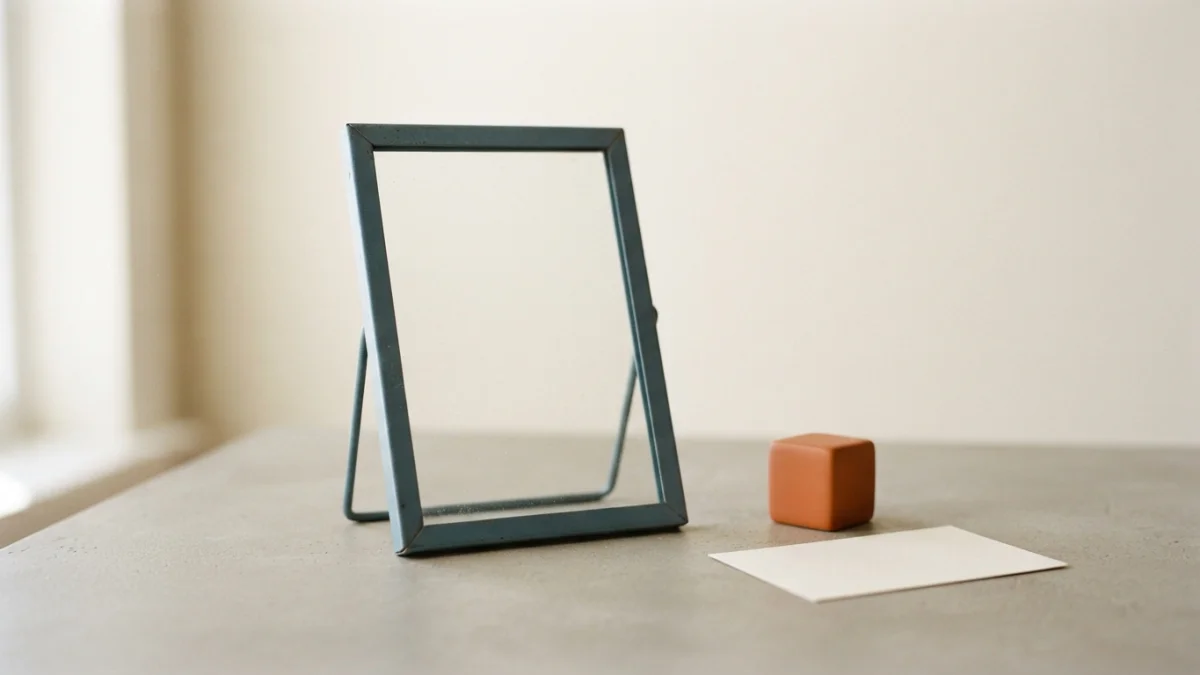
Image generated with AI.
An image model paints lettering as texture, so a generated "screenshot" is a scene with fake rows of type inside - and app stores take exact pixel sizes, not plausible ones. Generate the frame, then composite your real export inside it.
AI app screenshot prompts return something that looks like a screen: cards, a status bar, rows of type that say nothing at all. The model has never seen your interface.
That is not a bug. An image model learns the texture of writing the same way it learns the texture of brick or hair, so a generated "screenshot" is a scene with plausible rows of type inside it, not a rendering of your interface. This guide splits the job between the two halves that a pair of prompts from the catalog already covers - the frame (an empty plane with lighting and hierarchy) and the human scene (window light, grain, a candid moment) - and keeps the third piece where it belongs: the screen, which stays a file you own.
Why a Generated Screen Is Not a Screenshot
The Model Paints Lettering, It Does Not Set Type
A diffusion model works with plausible pixels, not with a font engine. A short headline may come out clean; a small row of text, an exact number and a precise logo do not, because the model draws something that resembles a letterform instead of composing type from a typeface. Newer models land short headlines more often, but small copy, long strings and exact marks still fail. Any pixel that has to state something true - your app name, a price, a metric, a term of service - therefore cannot come from generation. It has to come from your export.
The Catalog Prompt Says It Out Loud
Look at Klein App UI Mockup Elements: it asks for a readable typography placeholder and, in the same field, forbids specific text. Those two lines together are the thesis of this article. The prompt does not promise a screenshot; it promises a neutral container whose typography has the shape of typography. That is precisely why it works as a frame and not as a screen.
AI App Screenshot Prompts, Step 1: The Frame Does One Job
What the Frame Prompt Actually Says
The prompt takes two fields, {screen, e.g. a fitness dashboard} and {style, e.g. clean light theme with rounded cards and soft shadows}. Everything else is fixed, and the fixed part reads like a container recipe: a blue accent, a readable typography placeholder, sensible layout hierarchy, mobile screen proportion, no specific text, no watermark. You work it by changing which screen is hinted at and how the design system looks - not by writing words into the picture.
Ask for the Plane You Can Measure
If a real capture is going on top, the geometry of the plane matters more than the mood. Ask for the screen straight on, or at one slight angle, with no reflections and no fingers over it. A three-quarter hero with strong perspective looks good as a background, but dropping a real capture into it forces you to rebuild the perspective by hand. The standard workshop move is the opposite of what most people try first: place the export inside the plane and then deform the plane, so the content inherits the distortion of the object that contains it.
Two Ratio Systems That Do Not Match
There are two grids in this workflow and they are not the same grid. The store validates against a fixed list of pixel sizes per display class - Apple lists 1290 x 2796, 1260 x 2736 and 1320 x 2868 for the 6.9-inch class - and its review guidelines ask that screenshots show the app in use. Google Play instead sets a range: a minimum of 320 px and a maximum of 3840 px, with neither side more than twice the other. The model snaps to its own grid - width and height in multiples of 16 or 32 px, or a ratio without decimals.
Two consequences follow from the arithmetic. A phone capture at 1290 x 2796 is about 2.17:1, already past the 2:1 cap some stores apply, so the store version is a padded canvas rather than the raw export. And 1290 is not a multiple of 16, so the model's grid will not hand you that number by accident. The rule that resolves both: build the frame on the model's grid, then assemble the final canvas in your editor at the store's size - never the other way around. The generated frame earns its keep by what it does not have: no words, no numbers, no mark, ready to receive your export.
Step 2: The Candid Photo Prompt Buys a Scene, Not a Claim
What the Candid Prompt Actually Says
Turbo Candid Lifestyle Photo takes one field, {person/activity}. Everything else is a light-and-texture recipe: natural window light, shallow depth of field, film grain, an authentic moment, soft colors, the look of a vintage compact camera. One field is not a limitation here, it is the point. This prompt is not describing a product; it is describing light.
Window Light and Grain Are Composite-Friendly
Soft directional light with a blurred background and grain is the combination that hides the seam between a generated background and a real asset - a hand, an object, a screen with a low reflection. Hard midday light and a sharp background do the opposite: they leave the edge stuck and visible. Treat it as a production criterion, not an aesthetic promise.
Where This Image Is Allowed to Live
Hero, product section, about page, call to action - mood. Never proof. If the scene suggests that the product does something, that a result improves, or that a person endorses it, then the pixel has to be true. The UK Advertising Standards Authority has stated that its code is media-neutral: the rules apply regardless of how the content was created, and an AI-generated endorsement that looks real enough to mislead consumers can breach the code like any other image.
The Boundary Rule: Which Pixels Must Be True
Two Lists
- Have to be real: everything on the screen (every word, every number, every data graphic), the product, the logo and the brand name, any metric, any testimonial, any identifiable person.
- Can be plausible: the background, the light, the texture, the grain, the ambience, a hand out of focus, the generic body of a device, the shape of the cards before content goes in.
In one line: if the pixel asserts something, it has to come from a file of yours; if it only sets the mood, it can come from the model.
The Three Checks Before Publishing
- Zoom to 1:1 over the screen area. If there is a fake glyph in that zone, the zone is replaced by the real export.
- The word test. Is there any word in the image that came from the model? If yes, it goes out - or the image moves to a place where no word asserts anything.
- The sentence test. Point at the product and finish "this exists because...". If you cannot finish it, the image is a mood board, not a product image.
What the Model Cannot Decide For You
Honest scope. The model does not know the proportion of your real capture; it does not know whether the plane it generated can be measured; it does not know the rules of the store you publish to, where review is a human process; and it does not label itself. On disclosure, the plain version: whoever publishes has to know which disclosure rules apply to them, and that depends on the market and on what the image claims - check the official source for your case. This article is a prompting guide, not legal advice. And the model does not sign for you either: no generated likenesses of real people, and no third-party interfaces reproduced with their marks.
The Frame Is Generated, the Screen Is Yours
The two halves are already in the catalog: Klein App UI Mockup Elements builds the empty container with light and hierarchy, and Turbo Candid Lifestyle Photo builds the human scene around it. If you want the general framing of subject, style, lighting and composition first, the earlier post on DALL-E 3 prompt anatomy covers those four slots. Then drop the real export in, because the model can supply the light and the container, but the only pixels that have to be true are the ones you bring.
LikePrompts Editorial
Practical guides for getting the most out of AI prompts — written by the LikePrompts team.